
How to assemble the simulator.
Follow these five steps to turn the printed parts into a simulator that packs away in its case. Allow time to clear the print supports and check that each moving part is free.
Download the full assembly guide (PDF)Before you begin
- Base (box), lid, tool tray, sharps lid and jig: one of each.
- Four ball joints and four jaw components with locking wheels.
Have these ready
- Four suction cups, approximately 18–20 mm across; the mounting head is about 7 mm diameter and 5 mm thick, with a 3 mm diameter stem about 1.7 mm long.
- Practice vessel, such as 5 mm inner diameter silicone rubber tubing with a 0.3 mm wall.
- A pair of pliers to clear the print supports.
-
Step 1
Remove the supports from the keyhole hangers.
- Find the keyhole hangers for the suction cups on the side of the base and underneath the jig.
- Push the jaws of the pliers into each keyhole and squeeze them together to break out the support material.
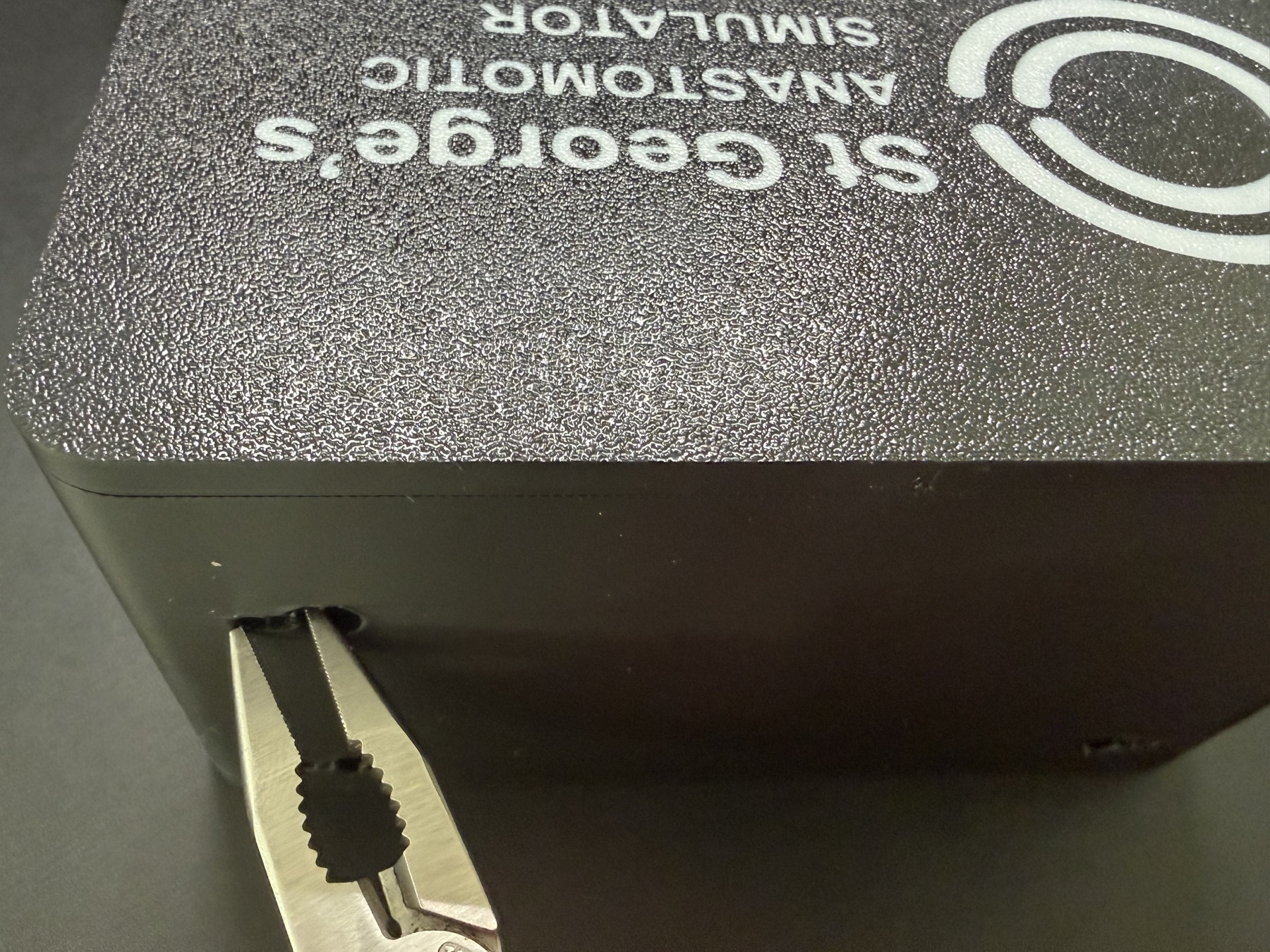
Clear the support material from the keyhole hangers. -
Step 2
Free up the jaw components.
- Squeeze the jaws of each component together to release any small adhesions left from printing.
- Move its locking wheel towards the jaws, all the way to the final locked position, to free up the locking mechanism.
Repeat for all four jaw components.
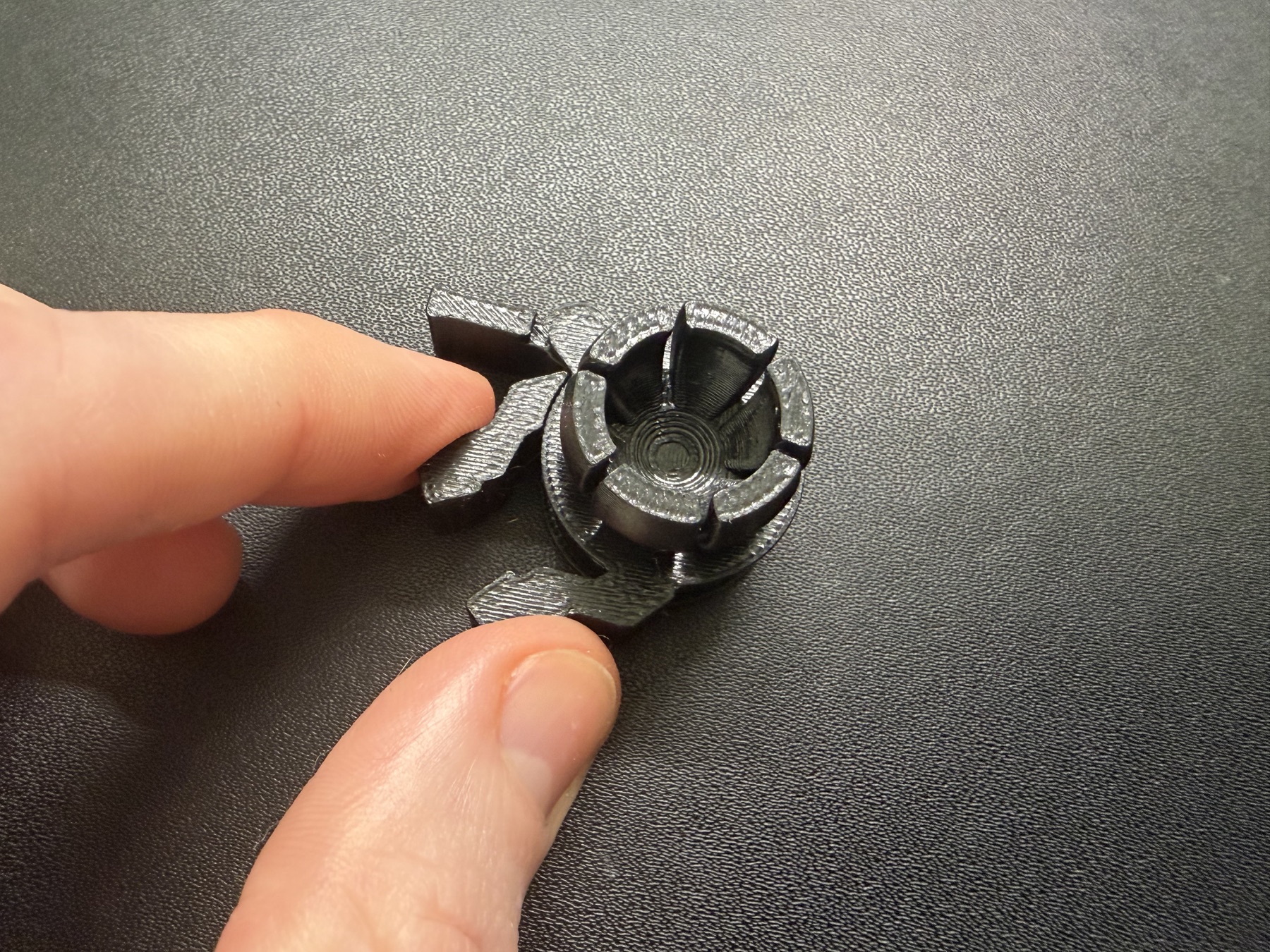
Free the jaws and locking wheel before fitting them. -
Step 3
Screw the ball joints onto the jig.
- Turn the jig so its keyhole hangers and locking port point downwards.
- Screw one ball joint into each of the four corners.
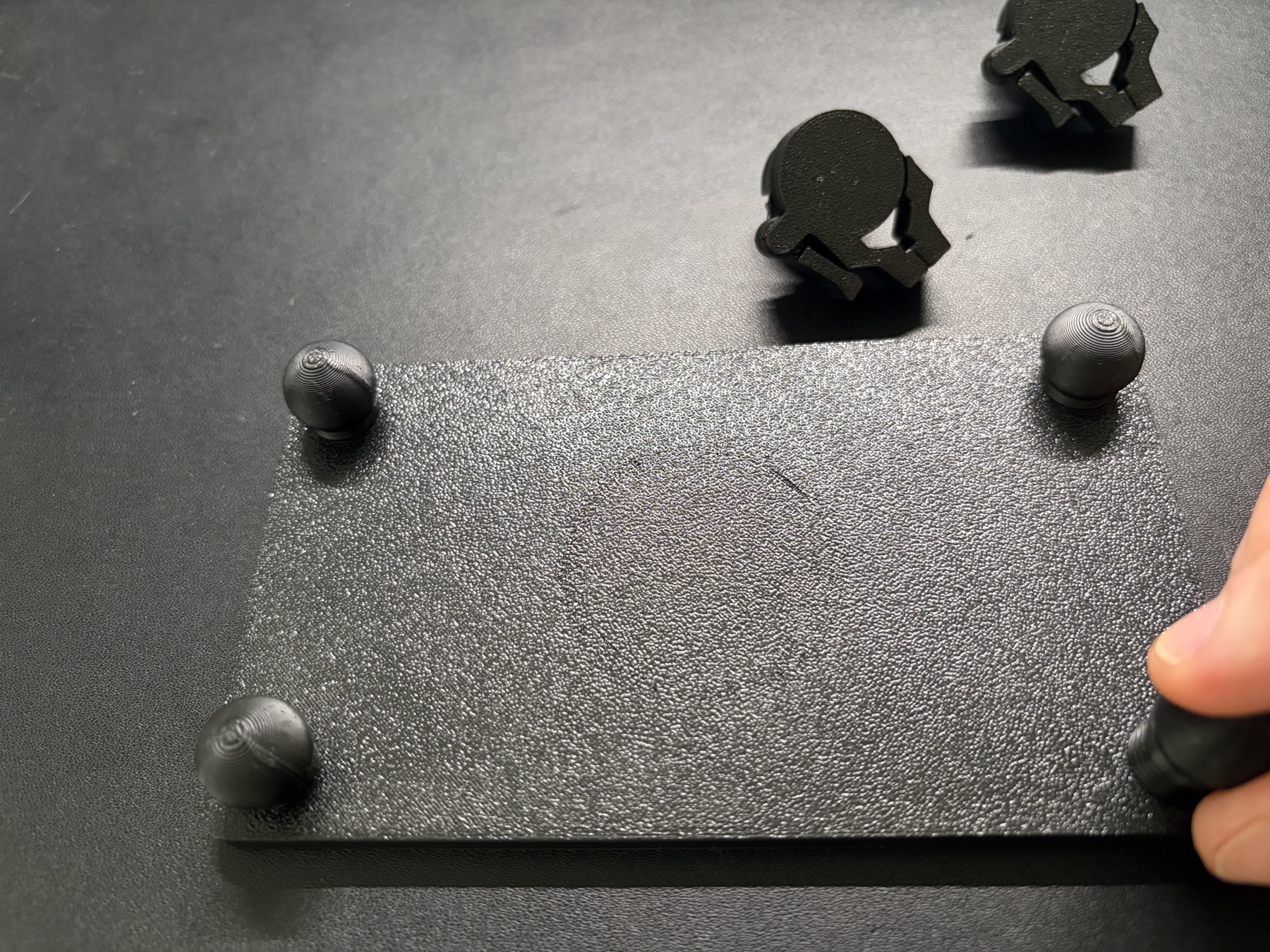
Fit a ball joint at each corner of the jig. -
Step 4
Fit the jaws and lock the jig into the base.
- Push a jaw component firmly onto each ball joint.
- Place the jig into the base.
- Underneath the base, turn the locking dial towards the closed-padlock mark until it engages.
To remove the jig later, turn the dial towards the open-padlock mark and lift the jig out.
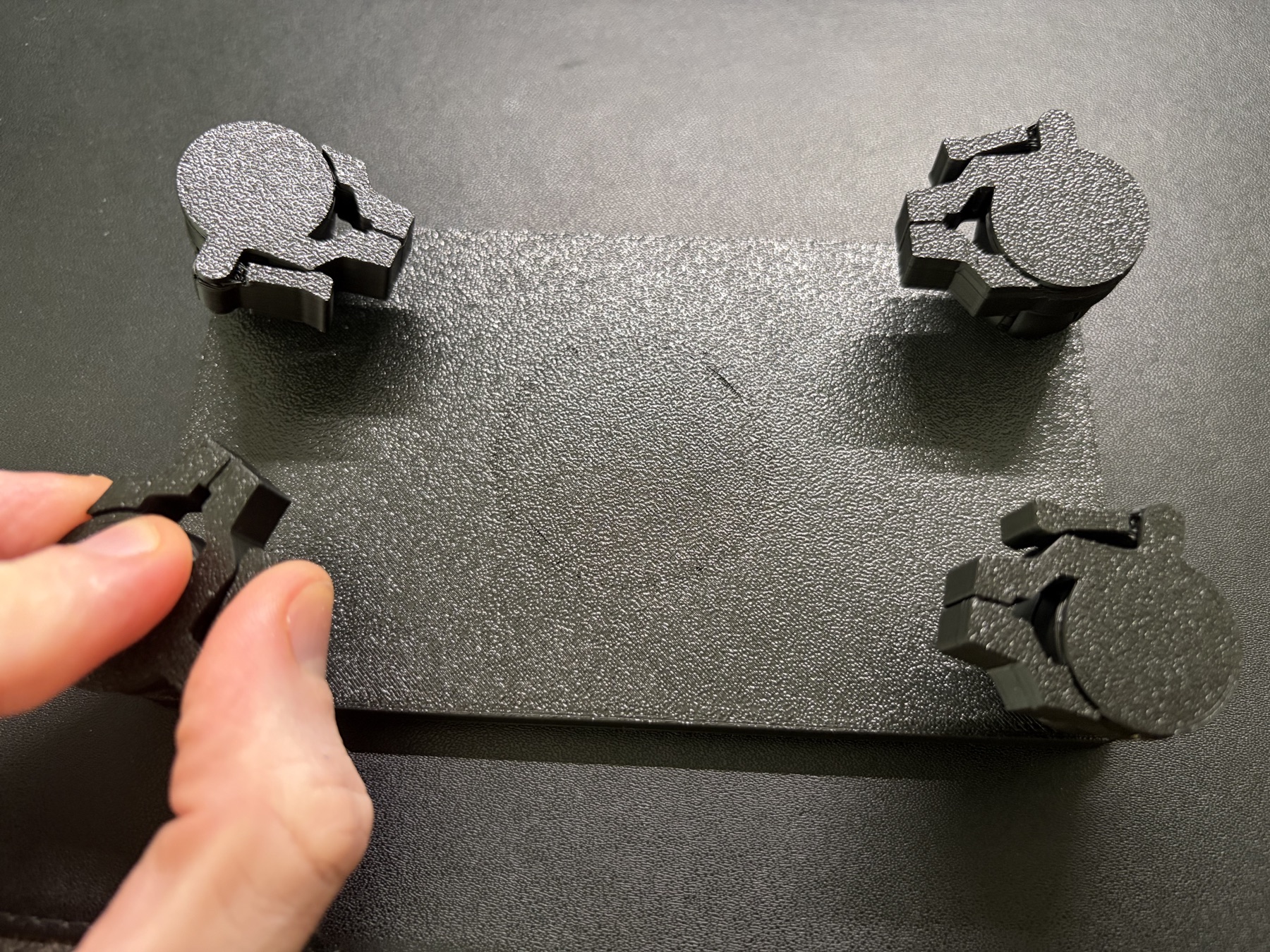
Push each jaw onto its ball joint. 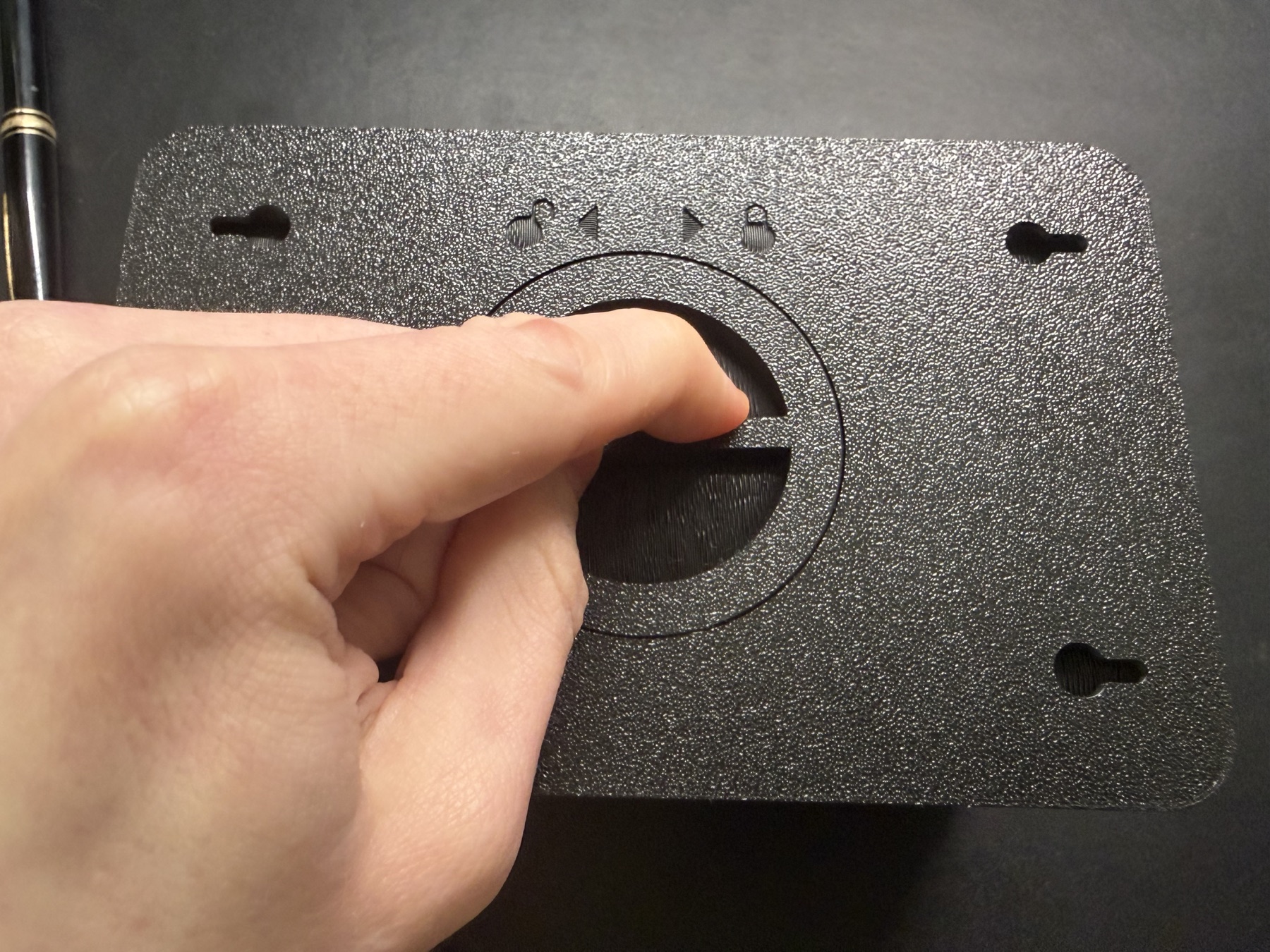
Turn the underside dial to lock the jig. -
Step 5
Fit the tool tray and lid.
- Fit the sharps lid onto the sharps compartment in the tool tray.
- Place the tool tray into the box, then put the lid on.
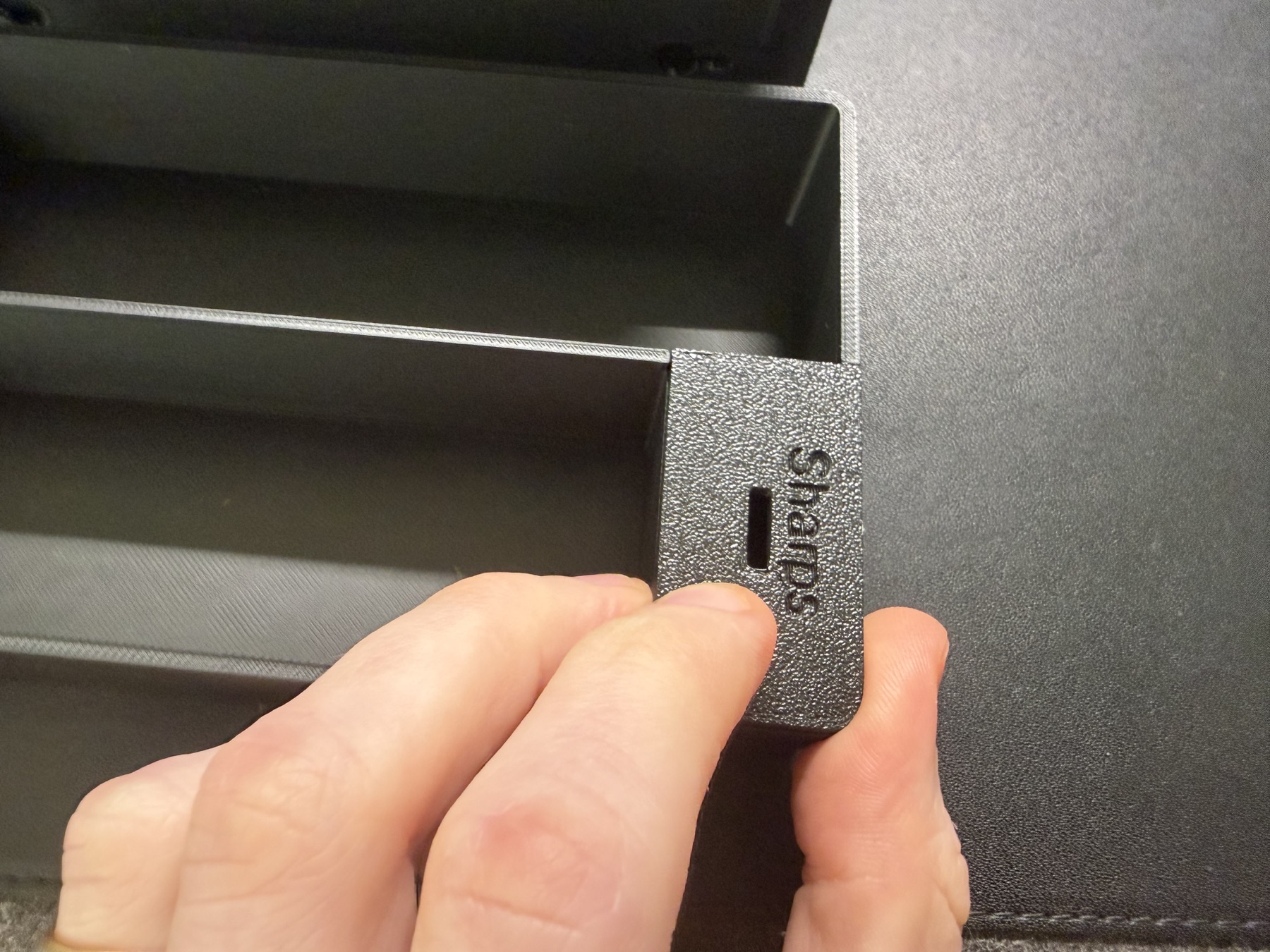
Fit the lid on the sharps compartment. 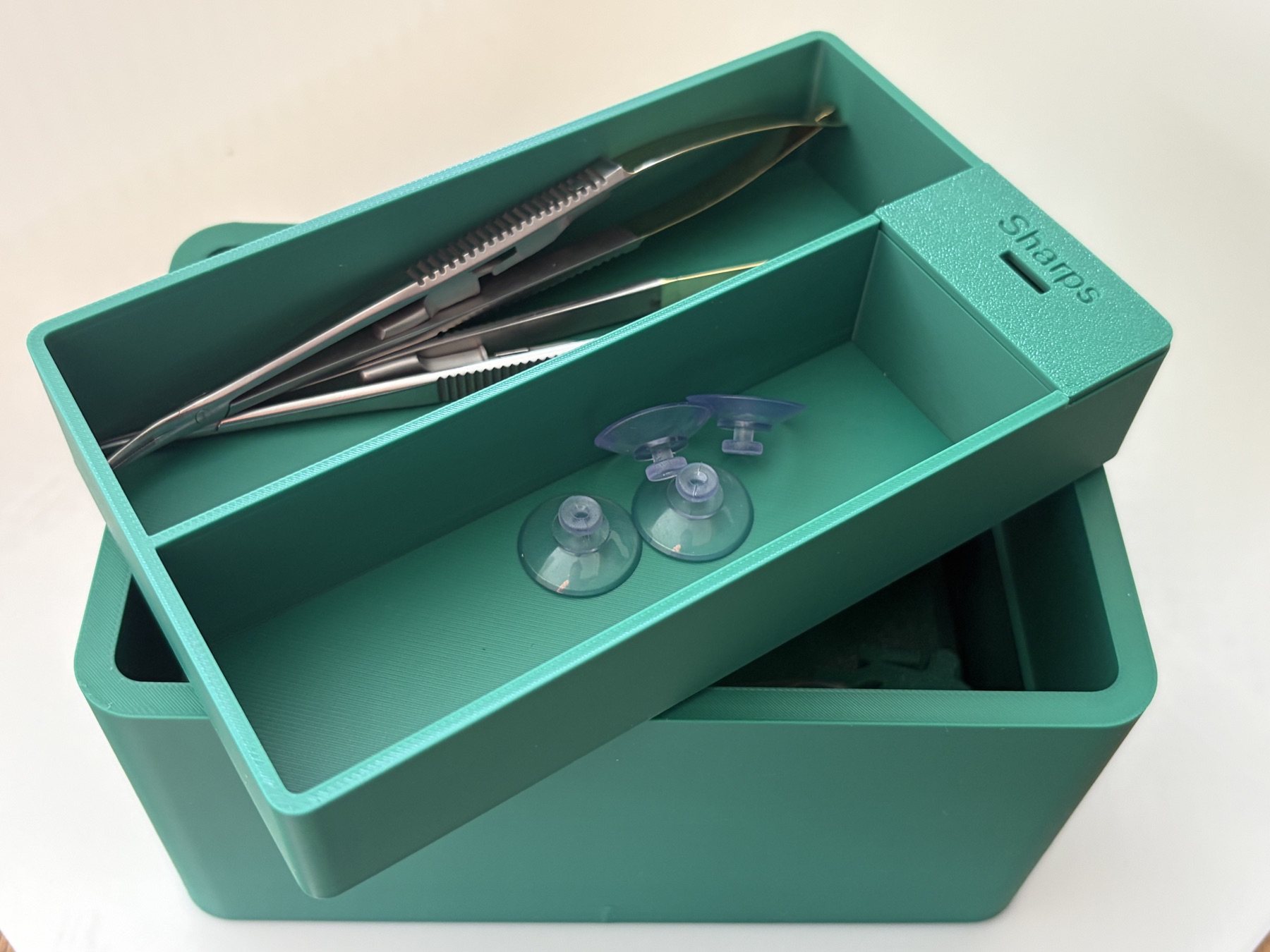
Place the tool tray into the case.
Choose how to practise.
Upright
Use the case upright to simulate a deep vessel exposure, such as the common femoral artery, and approach from above.
On its side
Turn the case on its side to practise a below-knee anastomosis with a side-on approach.
Jig on its own
Unlock the dial and use the jig flat on a table for open-access practice.
Use and care
Secure the setup. Fit suction cups into the keyhole hangers and press them onto a smooth, flat, non-porous surface to hold the case or jig steady.
Check the prints. Look for cracks or wear before use and reprint any damaged parts.
Sharps storage. The integrated compartment is for temporary needle storage during practice only; it is not a certified sharps container. Empty it into an approved sharps bin at the end of each session.
For simulation and training only. The simulator is not for clinical use.
Ready to make one?
The plans will be shared on MakerWorld.